
How to Book a Professional DJ Through a Marketplace
Book a professional DJ on Someone’s Plan with profiles, package comparison, reviews, payment hold, event chat, and cleaner booking decisions.
29 May 2026
Why Use a Marketplace to Hire a Professional DJ
Event hosts often discover the DJ search late in the planning calendar, after the venue, food, and guest list have already pulled most of the energy from the room. Marketplace booking provides a cleaner path for that search. The host posts event details once and receives offers from DJs who want the booking.
Someone’s Plan works well for that need because the platform connects event owners with performers, vendors, venue providers, and other event partners through requests and bids. The DJ enters the same practical path: an event request appears, the DJ reviews it, and the offer lands in the organizer’s dashboard.
Benefits of Booking DJs Online
Online DJ booking gives hosts a better way to compare options, as profiles, rates, reviews, and past set clips can sit side by side in a single view. The host can read, watch, compare, and choose with a steadier head.
Digital booking also cuts away the usual delay. Hosts can see who answered, what the price includes, and how the DJ describes the set. Such visibility matters for weddings and corporate nights where music carries the room.

How DJ Marketplace Platforms Work
DJ marketplace platforms start with a request, then send it to suitable DJs based on event type, date, location, and category. DJs submit offers when the event fits their calendar and fee range.
The event owner reviews the offers and checks the DJ's profile. Selection moves payment through the platform and opens chat for the final event details. The flow keeps the booking record and price in one place.
Full Booking Flow for a DJ
Booking a DJ through Someone’s Plan begins with a simple event request that lists the date, venue area, guest count, music needs, and event mood. The host then waits for relevant DJs to submit offers through the app.
Shortlists form inside the dashboard. The host compares packages and past work. The selected DJ enters the event basket, payment confirms the booking, and chat begins for playlist notes, setup time, and technical needs.
Define Your Event Requirements
A strong DJ booking starts with a clear brief that outlines the event type, crowd size, venue setup, and preferred music direction. Wedding receptions may need dinner music and a late dance set. Birthday parties may need open-format music and quick crowd reading.
Corporate events need a DJ who understands brand tone, speech cues, and volume limits. Private parties may need more freedom and a stronger party arc. The clearer the host becomes, the stronger the DJ's offer becomes.
Search and Compare DJ Profiles
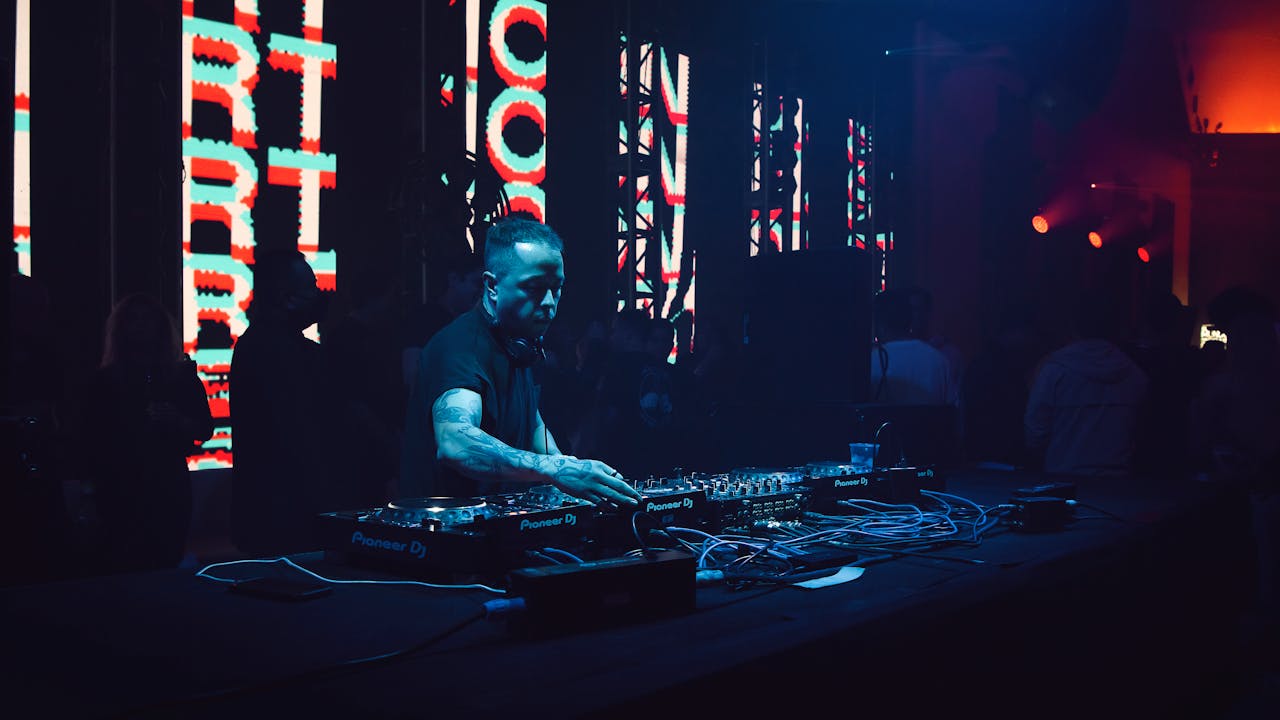
DJ profiles tell more than a price ever can because they show past events, media clips, music range, equipment notes, and client feedback. Hosts should look for real clips from live sets and photos from actual events.
Profile strength often says a lot about work habits. Clear descriptions and current media usually point toward a DJ who treats the booking with care. Empty or weak profiles pose a risk to the host.
Check Reviews, Ratings, and Past Sets
Reviews help hosts understand how a DJ behaves when the room changes, when a schedule shifts, and when guests need a new direction on the floor. Ratings give a quick signal, while written comments offer useful insight.
Past sets matter as well. Club clips may look exciting, yet wedding programs need different timing. Corporate events may need restraint. The best choice comes from matching real event context with real DJ proof.
Compare DJ Packages and Pricing
DJ packages can include a set length and sound gear. They can also include travel and overtime terms. Lower prices may cover fewer items. Higher prices may include the equipment and extra time that the event needs.
The host should compare the full package and the headline fee. Someone’s Plan helps here by consolidating bids in a single dashboard, so the organizer can weigh cost against profile strength.

Contact DJs and Discuss Event Details
Payment completion opens a chat between the host and the selected DJ, providing both parties with a practical space to discuss playlist direction, arrival time, venue access, and technical needs. Good communication here matters.
The host should share the event schedule and key moments. The DJ should confirm setup time and equipment needs. One chat thread can save a lot of event-day confusion.
Confirm Your Booking in the Marketplace
Marketplace booking gives the host and DJ a shared record that includes the offer, payment path, and chat history. The record provides the booking with greater stability than scattered messages across several apps.
Someone’s Plan uses payment handling inside the platform. The host confirms the selected DJ, and the DJ can prepare with a clearer booking path.
Questions to Ask Prior to Hiring a DJ
Smart questions help the host choose with more confidence, especially when several DJs offer similar prices. Ask what the package includes. Ask how long the DJ plays. Ask what equipment comes with the booking.
Playlist policy matters too. Ask how the DJ handles guest requests and volume limits. Ask about setup time, outfit choice, and overtime rates. Clear answers help the host avoid surprises.
Common Booking Errors and Better Choices
Some hosts choose based only on price, then discover the set length or sound gear falls short. Better choices come from reading the full bid and checking the profile.
Other hosts skip past-set videos. DJ set clips tell the truth faster than a polished bio. The smartest hosts compare clips, reviews, and package terms before confirmation.

Why Someone’s Plan Makes DJ Booking Easier
Someone’s Plan makes DJ booking easier by letting the host create a single request, receive bids, compare profiles, and confirm payment all in one app. The platform also opens a chat after payment, keeping the final details tied to the confirmed booking.
DJs also gain a cleaner path to real event work. They see the request, send an offer, and know the host has a real event in progress. The result gives both sides a better start.
Tips for a Successful DJ Booking
Great DJ booking starts early enough for the host to compare offers with care and still leave room for setup notes, playlist preferences, and venue details. Good timing reduces pressure on everyone.
Send the DJ a short event timeline. Share the must-play songs and the songs to skip. Confirm arrival time and power access. When the DJ and host share the same picture, the event feels easier to run.
 Instagram
 Youtube
 Facebook
 Linkedin
 Twitter